
Business phone system features
Everything you expect from a professional office phone system, plus the freedom to take calls from anywhere. Here's what's included.
Calling
Unlimited calling
Unlimited calling included in every plan, with low international rates.
Caller ID and name
Outbound caller ID with your business number and name.
Keep your number
Free number transfer (porting) from your current provider.
New numbers
Pick a new local San Diego area code number (such as 619, 858 or 760, subject to availability) or a toll-free number.
911 service
Emergency calling tied to your registered service address.
Office features
Virtual receptionist
An auto attendant greets callers and routes them ("Press 1 for sales…").
Business & after-hours modes
Calls route differently when you are open, closed, or on holiday.
Ring groups
Ring a team at once or in order so calls never go unanswered.
Extension dialing & transfer
Reach coworkers by extension and pass callers along in a click.
Voicemail & music on hold
Professional greetings and hold music on every line.
Conferencing
Voice conferencing and a conference bridge for group calls.
Desktop screen sharing
Share your screen during calls with coworkers or customers.
Activity monitoring
See call activity and performance, with reports on higher plans.
Online settings
Change greetings, forwarding and users from a web portal.
Mobile & remote work
Work from anywhere
Make and receive business calls from any location with internet.
Desk to mobile
Move a live call from your desk phone to your cell without hanging up.
Multi-ring / Find Me Follow Me
Ring your desk phone and mobile at the same time.
Call forwarding
Send calls wherever you are, on your schedule.
Mobile app
Your business line on your cell phone, keeping your personal number private.
Setup & support
Hosted PBX
Your phone system runs in the cloud, so there is no equipment closet to maintain.
Easy installation
No special wiring. Phones plug into your existing internet connection.
Onsite help
Onsite setup and a complimentary evaluation of your current phone system.
Custom configuration
We set up call flows, greetings and extensions to match how you work.
Phones available
We can supply desk phones and set them up for you. Ask us which models fit your office.
24/7 support
Call (858) 977-8647 any time, day or night.
Microsoft Teams calling
Make real phone calls inside Microsoft Teams
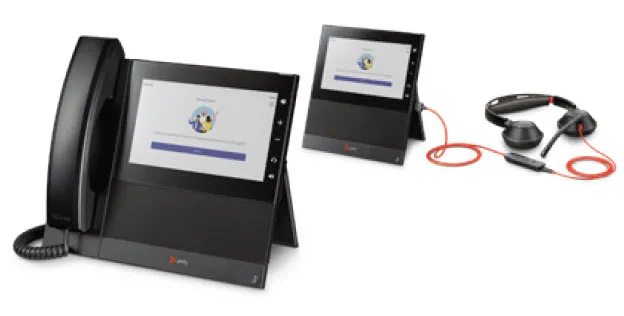
If your office already uses Microsoft 365, you can turn Teams into your business phone. Connect your existing numbers to Teams and call any phone number from the Teams app on your computer, cell phone or a Teams desk phone.
- Keep your existing business numbers
- One app for chat, meetings and phone calls
- Works with Teams-certified desk phones and headsets
- Set up and supported by our team
Feature questions
What is an auto attendant?
An auto attendant (or virtual receptionist) answers calls with a recorded greeting and lets callers choose where to go, such as "Press 1 for sales, 2 for service." It is included in every Pacific Phone plan.
What is a hosted PBX?
A PBX is the system that runs a business phone network: extensions, transfers, voicemail and call routing. With a hosted PBX, that system runs in the cloud and is managed for you, so there is no on-site equipment to buy or maintain.
Can I use my business line on my cell phone?
Yes. With the mobile app, you can make and take business calls on your cell phone using your business number, keeping your personal number private. You can also move a live call from your desk phone to your cell.
Can I make phone calls from Microsoft Teams?
Yes. With the Microsoft Teams plan, you can make and receive regular phone calls inside Teams using your existing business numbers. Learn about Teams calling.
See which features come with each plan on our Plans & Pricing page.
Ready to talk about your phones?
Call (858) 977-8647 any time, 24/7, or ask for a free quote. We also offer a complimentary onsite evaluation of your current phone system.